
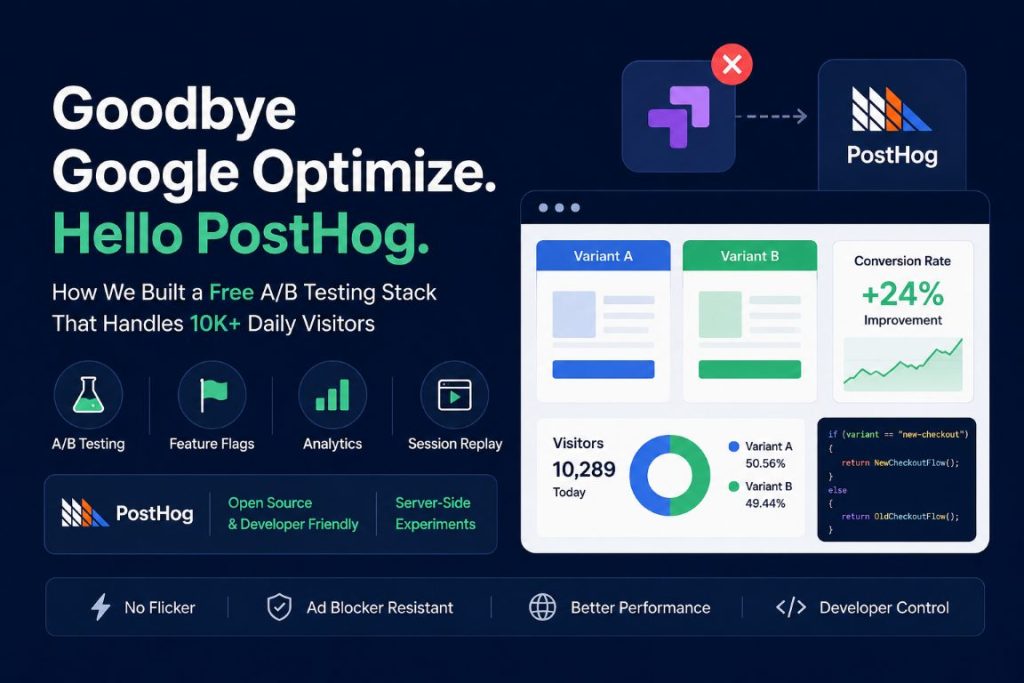
Best Free Alternative to Google Optimize in 2026
When Google officially shut down Google’s Google Optimize, we suddenly had a problem.
Like many teams, we had built part of our experimentation workflow around it. Nothing extremely complicated — mostly A/B tests for landing pages, messaging, CTA variations, and conversion experiments — but enough that removing it completely would hurt our ability to improve the website based on real data.
At first, the obvious solution seemed simple:
“Just replace Optimize with another A/B testing platform.”
In reality, it turned out to be much harder than expected.
The Problem Nobody Mentions About A/B Testing Platforms
We contacted several well-known experimentation platforms.
Most of them looked great during demos:
- Beautiful dashboards
- Visual editors
- Enterprise analytics
- AI-powered targeting
- Advanced segmentation
But once traffic numbers entered the conversation, things changed quickly.
Our websites were receiving around 10,000 visitors per day, spread across multiple international sites. Not massive enterprise scale — but apparently large enough to create pricing and infrastructure concerns for some vendors.
A few platforms became extremely expensive very quickly.
Others simply weren’t comfortable running their system against our traffic volume without pushing us into higher enterprise plans.
And honestly, this was frustrating.
We weren’t looking for a giant experimentation department with 50 analysts and millions in funding. We just needed:
- Reliable A/B testing
- Good performance
- Flexible targeting
- Reasonable cost
- Server-side support
- Control over implementation
Instead, most solutions felt overly complicated, overpriced, or limited to purely client-side experiments.
That’s when we discovered PostHog.
Why PostHog Changed Everything
At first, we weren’t even specifically searching for an A/B testing platform.
What caught our attention about PostHog was that it wasn’t just an experimentation tool.
It combined:
- Product analytics
- Feature flags
- Session replay
- Event tracking
- Experiments
- User targeting
- Server-side SDKs
And most importantly:
It gave developers actual control.
Instead of locking experimentation into a visual editor that only manipulates frontend elements, PostHog let us build experiments directly into the application logic.
That distinction ended up being huge.
Client-Side A/B Testing Is Only Half the Story
A lot of traditional A/B testing tools are heavily focused on browser-side changes:
- Change a button color
- Move a headline
- Swap an image
- Hide/show elements
That works fine for marketing tests.
But modern applications often need much more than that.
We wanted the ability to test:
- Different backend logic
- Conditional rendering
- Dynamic server-side content
- Feature rollouts
- Authentication flows
- Country-specific experiences
- Performance-sensitive variations
With PostHog feature flags, we could do all of this.
Not just:
if (buttonColor === "red")
But actual application-level decisions:
if (variant == "new-checkout")
{
    return NewCheckoutFlow();
}
else
{
    return OldCheckoutFlow();
}
That flexibility completely changed how we approached experimentation.
https://smartclouds.co/ +1 416 841 8791 SEO Digital Marketing
The Unexpected Advantage: Server-Side Experiments
One of the biggest lessons we learned was this:
Many A/B testing platforms are frontend-first.
But serious experimentation often belongs on the server.
Why?
Because server-side experiments avoid many classic client-side issues:
- Flickering UI
- Layout shifts
- Slow script injection
- Ad blocker interference
- SEO inconsistencies
- Client-side race conditions
Once we started running experiments directly in our .NET application, things became:
- Faster
- Cleaner
- More reliable
- Easier to maintain
And surprisingly, easier to debug.
The Technical Setup We Ended Up Using
Our implementation eventually became very simple.
Step 1 — Generate or Read a Stable User ID
We used cookies to keep users consistently assigned to experiment variants.
Example:
var userId = Request.Cookies["distinct_id"];

if (string.IsNullOrEmpty(userId))
{
    userId = Guid.NewGuid().ToString();

    Response.Cookies.Append(
        "distinct_id",
        userId,
        new CookieOptions
        {
            Expires = DateTimeOffset.UtcNow.AddYears(1)
        });
}
This guarantees the same visitor keeps seeing the same variation.
Step 2 — Ask PostHog for the Feature Flag Variant
Then we evaluated the experiment server-side.
Example:
var variant = await _postHog.GetFeatureFlagAsync(
    "homepage-headline-test",
    userId
);
Now the backend knows exactly which experience to render.
Step 3 — Render Different Content
From there, the website simply responds accordingly:
if (variant == "test")
{
    ViewBag.Title = "Start Faster With Our New Platform";
}
else
{
    ViewBag.Title = "Reliable Industrial Connectivity Solutions";
}
Simple.
Fast.
No visual flickering.
No fragile DOM manipulation.
What We Learned After Running Real Traffic
After deploying experiments to production traffic, a few things became very clear.
1. Simplicity Beats Fancy Dashboards
Most experimentation success comes from:
- Good hypotheses
- Clean tracking
- Consistent implementation
- Reliable analytics
Not from having 200 dashboard filters.
2. Server-Side Testing Feels More Professional
Once experiments became part of the application architecture instead of random frontend patches, the whole system became easier to scale.
Developers trusted it more.
Deployments became cleaner.
And debugging became dramatically easier.
3. Free (or Low-Cost) Can Absolutely Work
This was probably the biggest surprise.
We originally assumed that “serious experimentation” required expensive enterprise software.
But in practice, a developer-friendly stack using:
- PostHog
- Feature flags
- Cookies
- Server-side rendering
ended up outperforming several expensive options we evaluated.
The Biggest Challenge We Faced
Ironically, the hardest part wasn’t the experimentation itself.
It was understanding:
- cookies
- distinct IDs
- feature flag timing
- caching
- server-side rendering behavior
Especially when debugging why a user sometimes received:
- the control variant
- no variant
- or inconsistent assignments
For example:
- A page cache could accidentally serve the wrong variation
- The PostHog cookie might not exist yet on first load
- A feature flag request could happen before identification completes
Once we solved those issues, the system became extremely stable.
Final Thoughts
Losing Google Optimize initially felt like a major setback.
But honestly, it forced us to build a better experimentation workflow.
Instead of relying on a black-box visual editor, we ended up with:
- More control
- Better performance
- More flexibility
- Lower costs
- Server-side experimentation
- Developer-friendly architecture
And most importantly:
We no longer think of A/B testing as “changing button colors.”
We now treat experimentation as part of the product architecture itself.
If you’re currently searching for a free or affordable replacement for Google Optimize, especially for a developer-focused stack, there’s a good chance that feature flags + server-side experiments will take you much further than traditional visual A/B testing tools ever could.
https://smartclouds.co/ +1 416 841 8791 SEO Digital Marketing